
What PassZit does
One place for every secret of a person or a team — encrypted before it leaves the device.
Encrypted vault
Logins, secure notes, cards, identities, SSH keys and files, with folders, favourites, search across all vaults, trash and password history.
End-to-end encryption
Argon2id and AES-256-GCM on your device; the server stores only ciphertext and never receives your master password.
Browser extensions
Chrome, Edge, Firefox, Opera, Brave and Vivaldi: fill logins and one-time codes only on the site they belong to, fill cards and addresses on payment pages, save new logins, make passwords.
Passkeys and one-time codes
Passkeys saved as vault items that work in every browser with the extension; authenticator codes (TOTP), also read from a QR code.
Shared vaults
Rights per person and group, time-limited access, access requests with approval and a log of who used each item.
Remote connections
Double-click an RDP, SSH, WinSCP, WinBox, VNC or Telnet item and the MaxZit Launcher opens it with the stored login.
Secret links and emergency access
Send a password or a file to someone without an account, and let trusted people into your vault when something happens to you.
Administration
Accounts by invitation only, mandatory two-factor sign-in, LDAP and single sign-on, policies, four-eyes approval and a hash-chained audit log.
See PassZit
Screenshots of the PassZit 0.9.5 console with a demo company, and of the browser extension with test data (English interface). Click a picture to see it in full size.
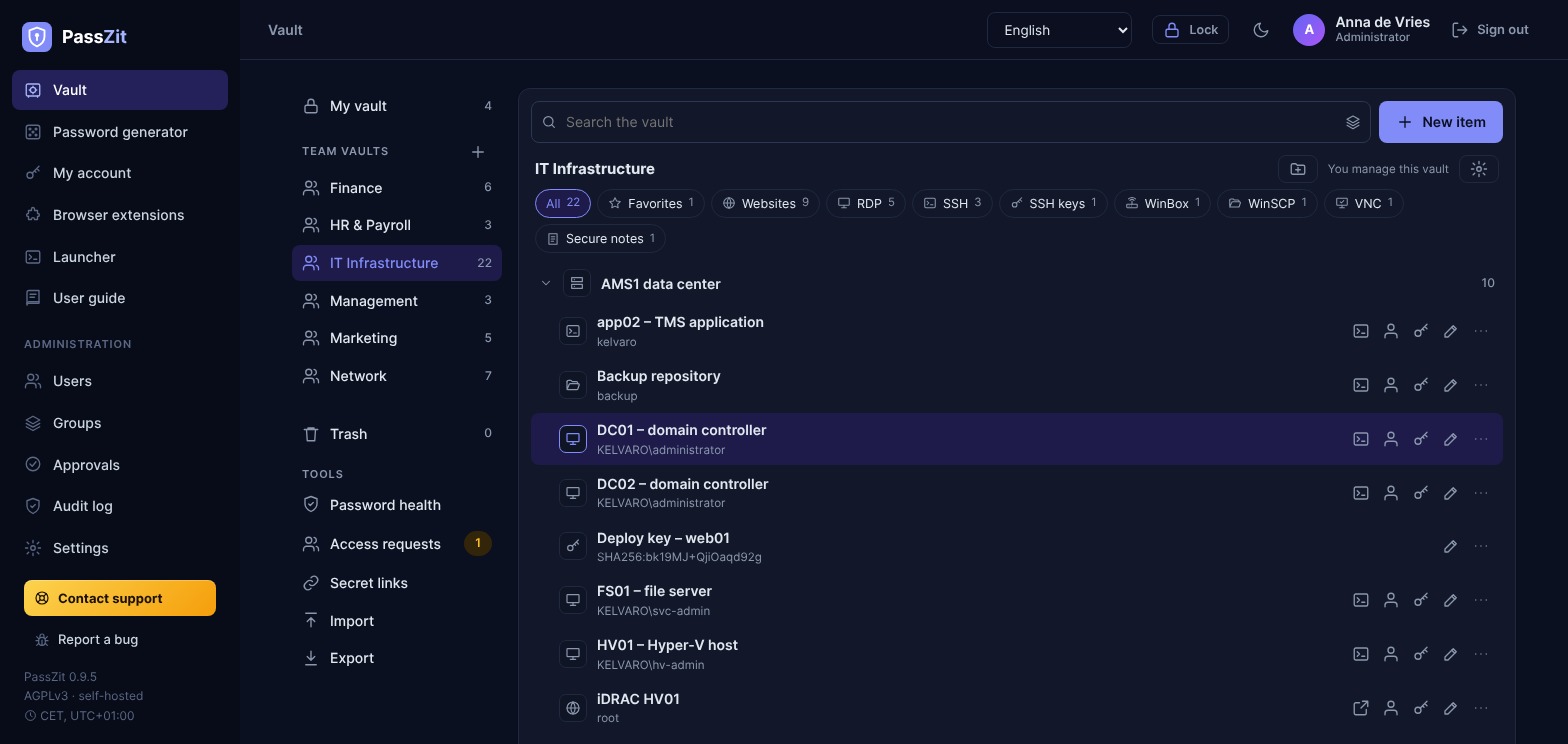
 Team vaults: websites, RDP, SSH and WinBox logins in shared, end-to-end encrypted vaults
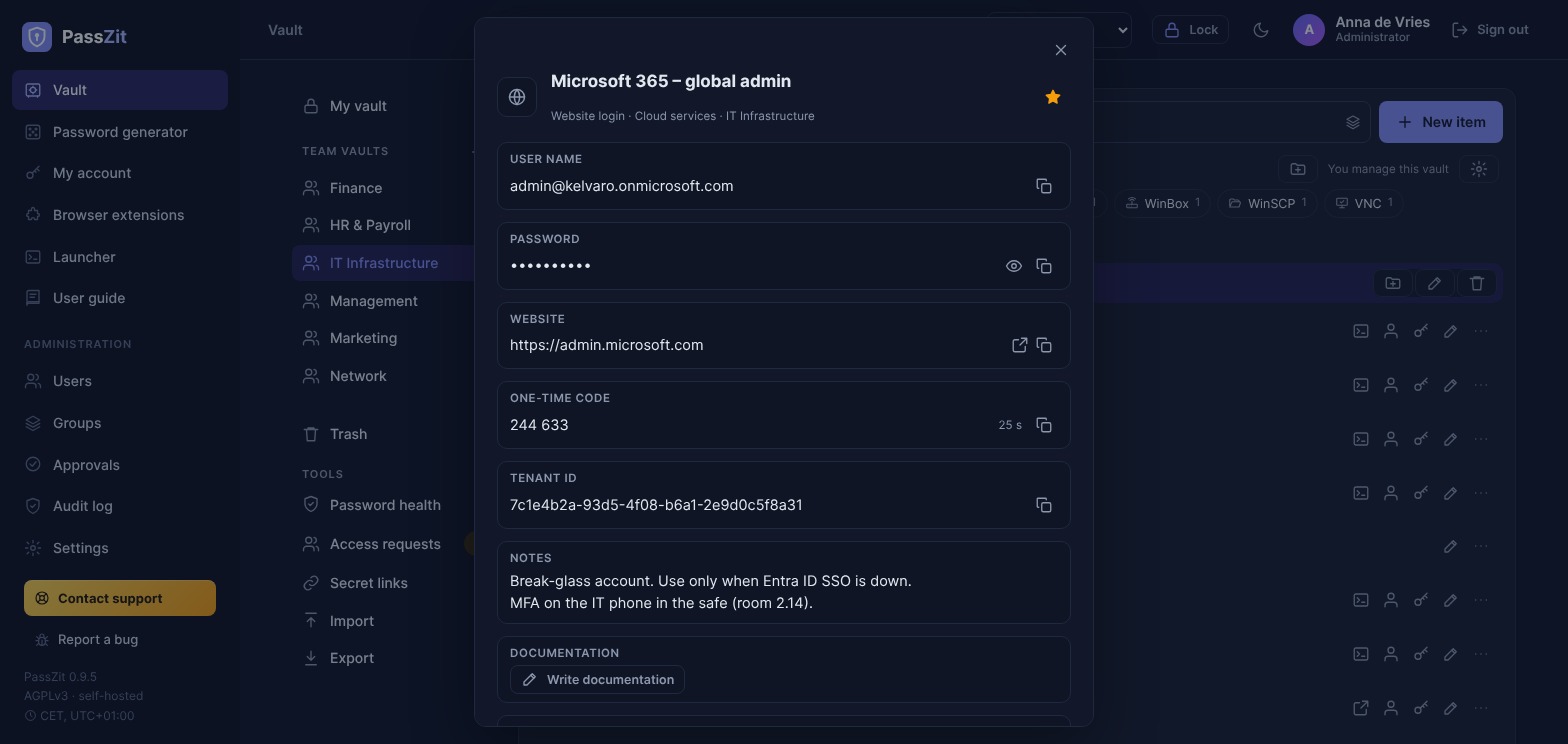
A login with its password and live 2FA code, decrypted only in your browser
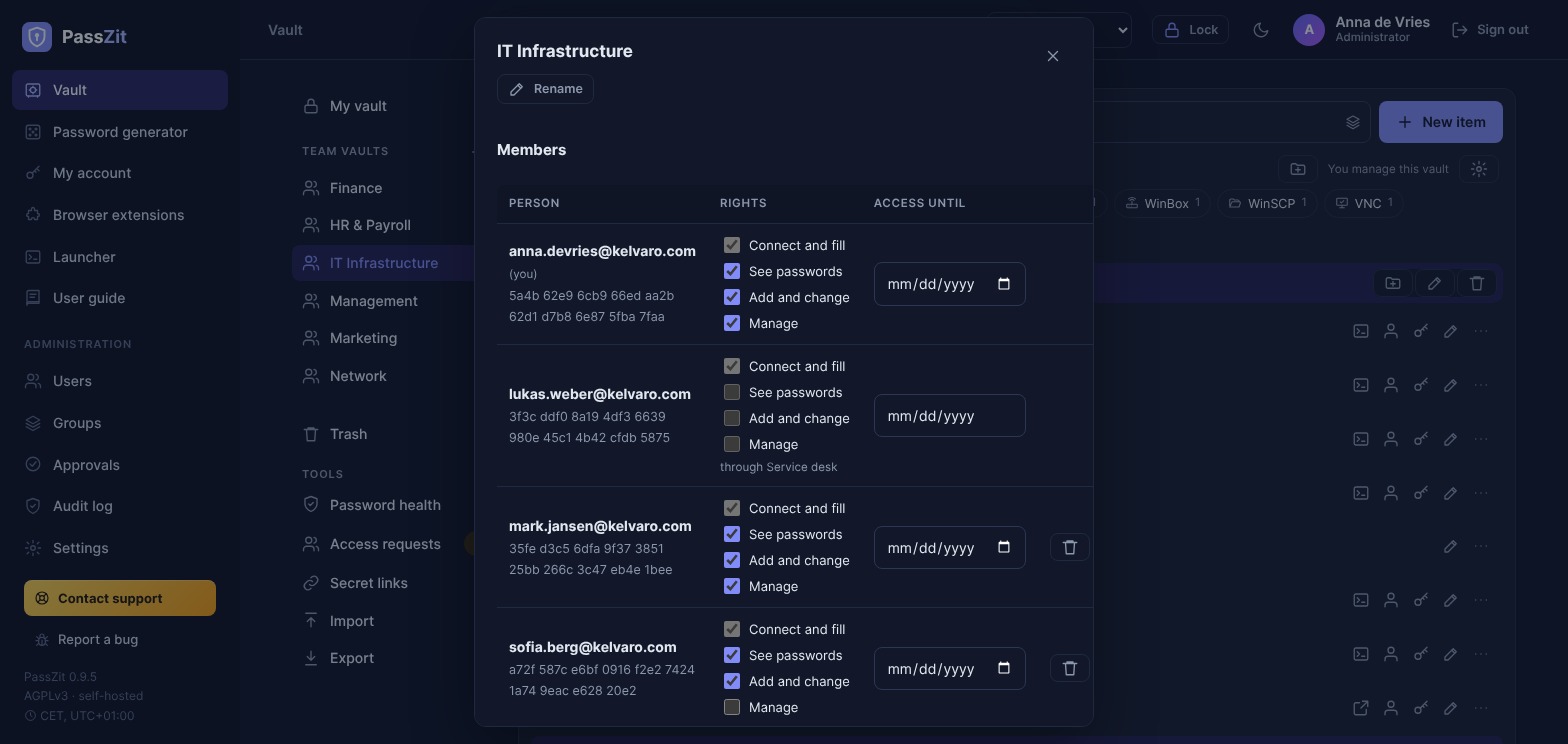
Vault members and groups with their rights, from “connect and fill” to “manage”
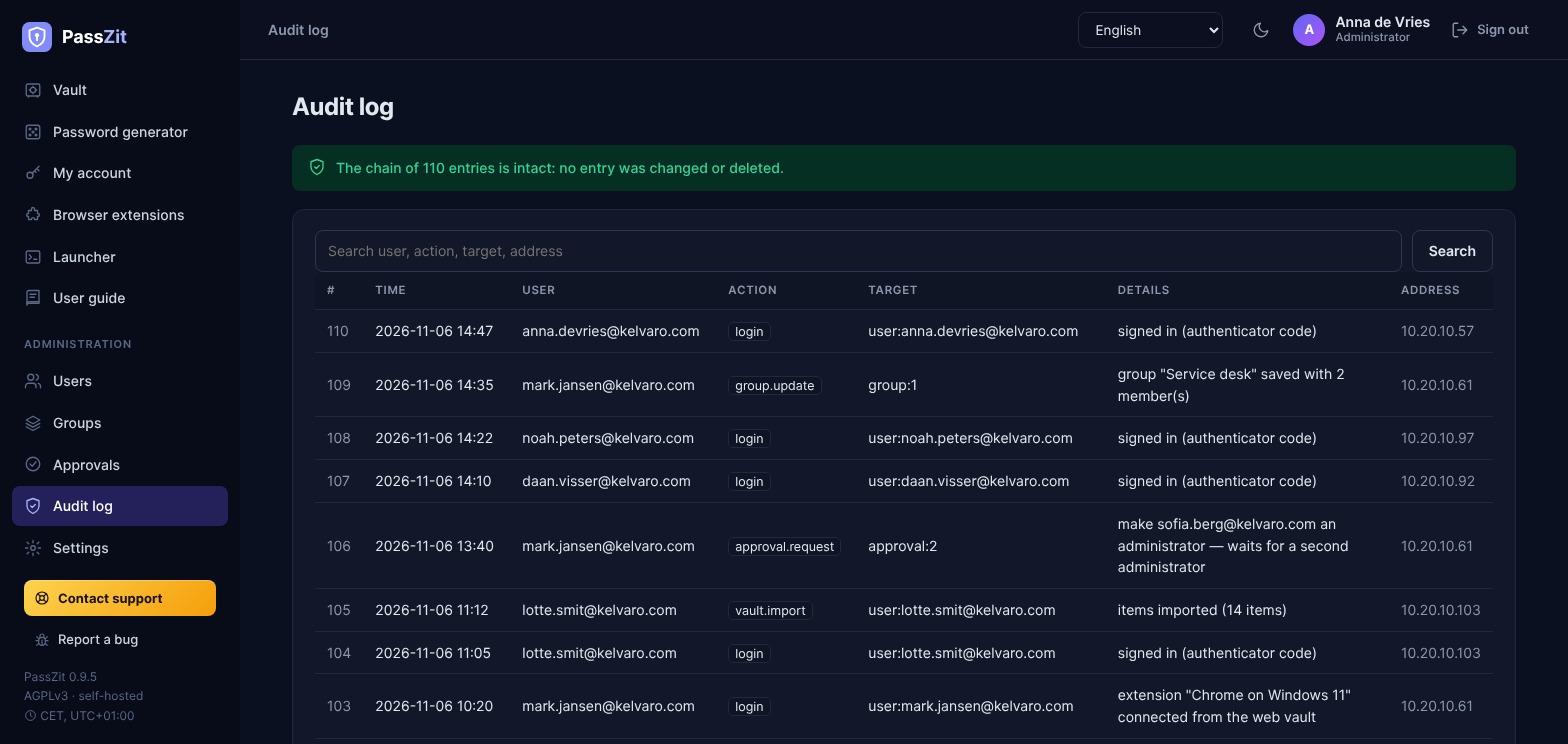
Tamper-evident audit log of sign-ins and admin actions
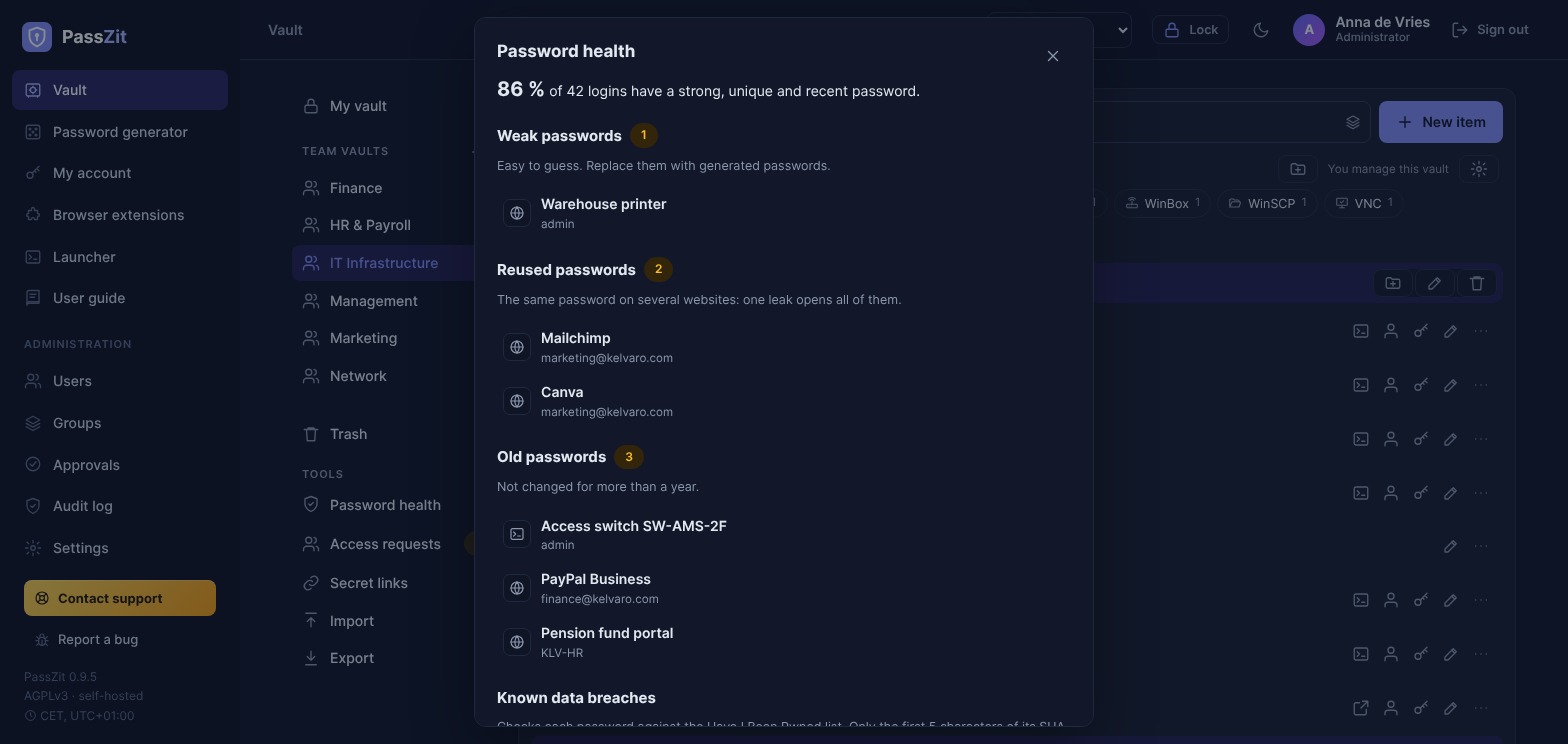
Password health: weak, reused and old passwords at a glance
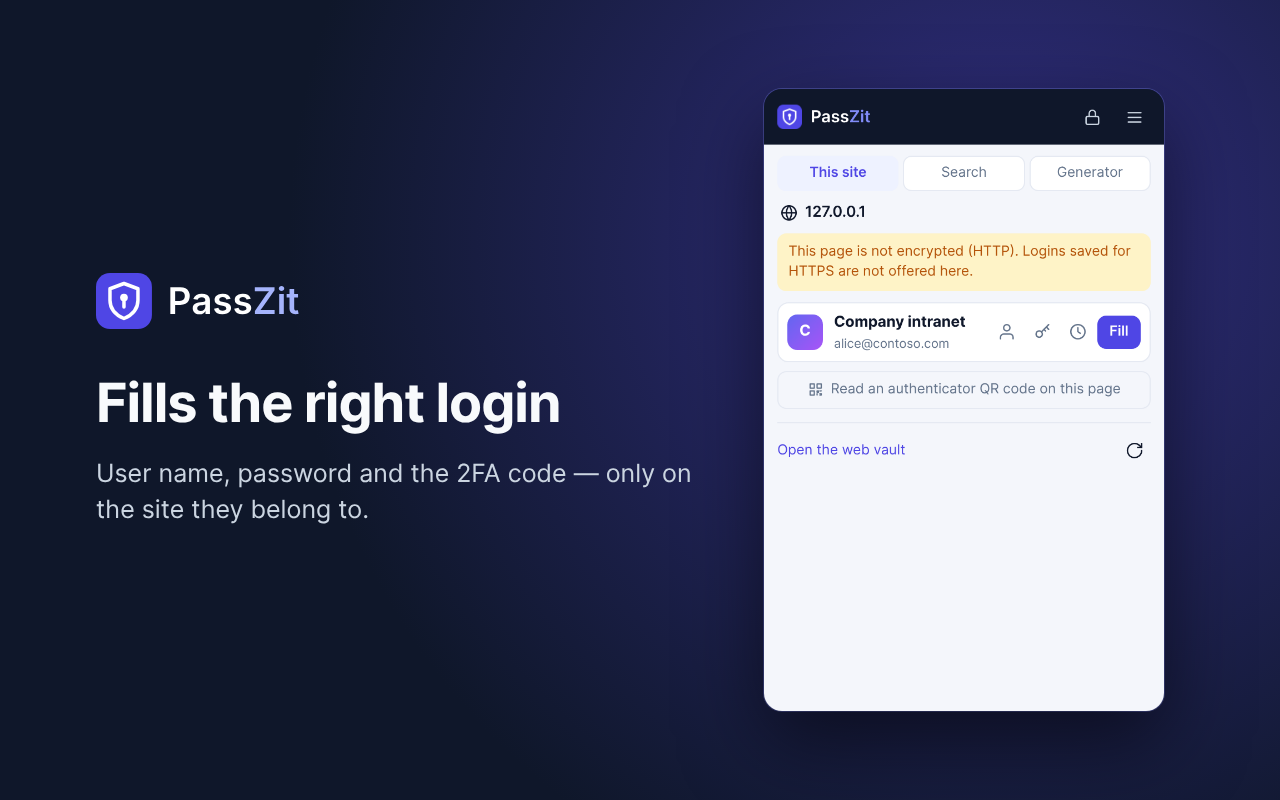
This site: the extension offers the login of the current website and fills user name, password and one-time code
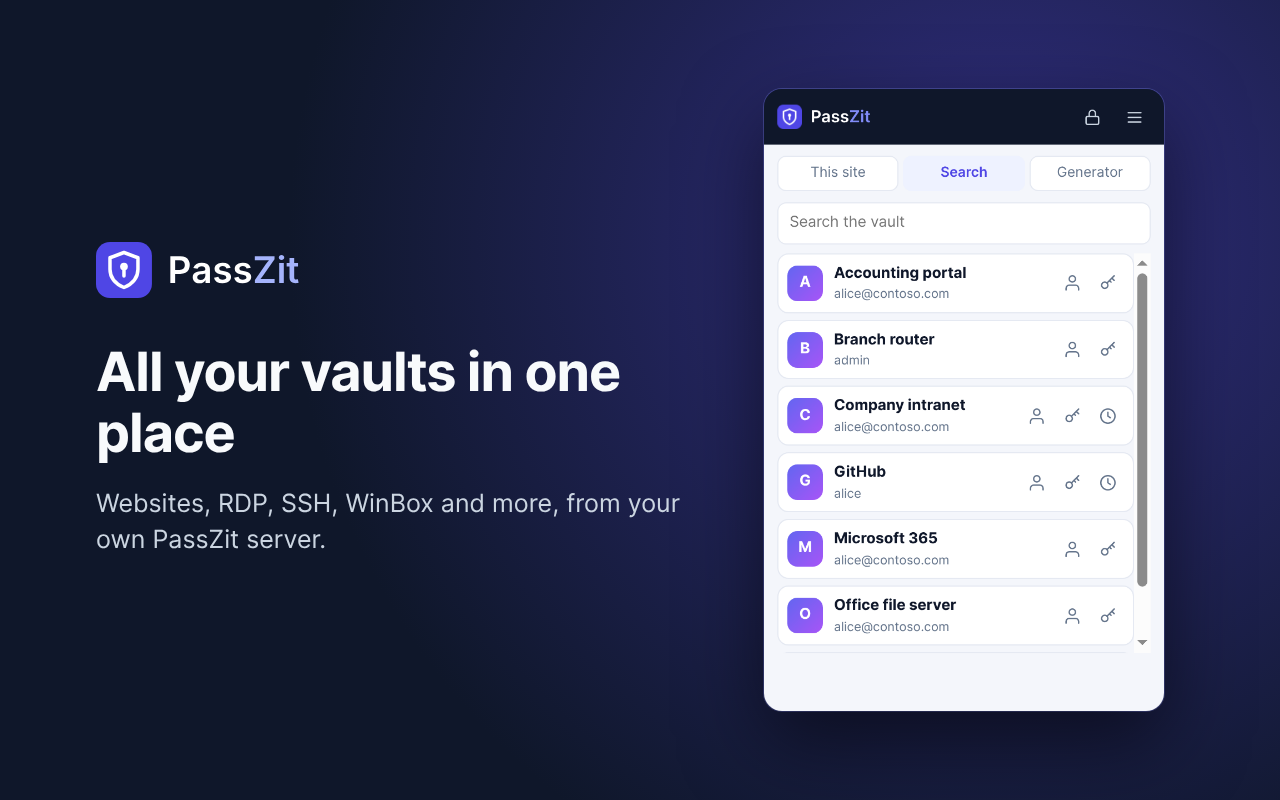
Search: every item of your vaults — websites, RDP, SSH, WinBox and more
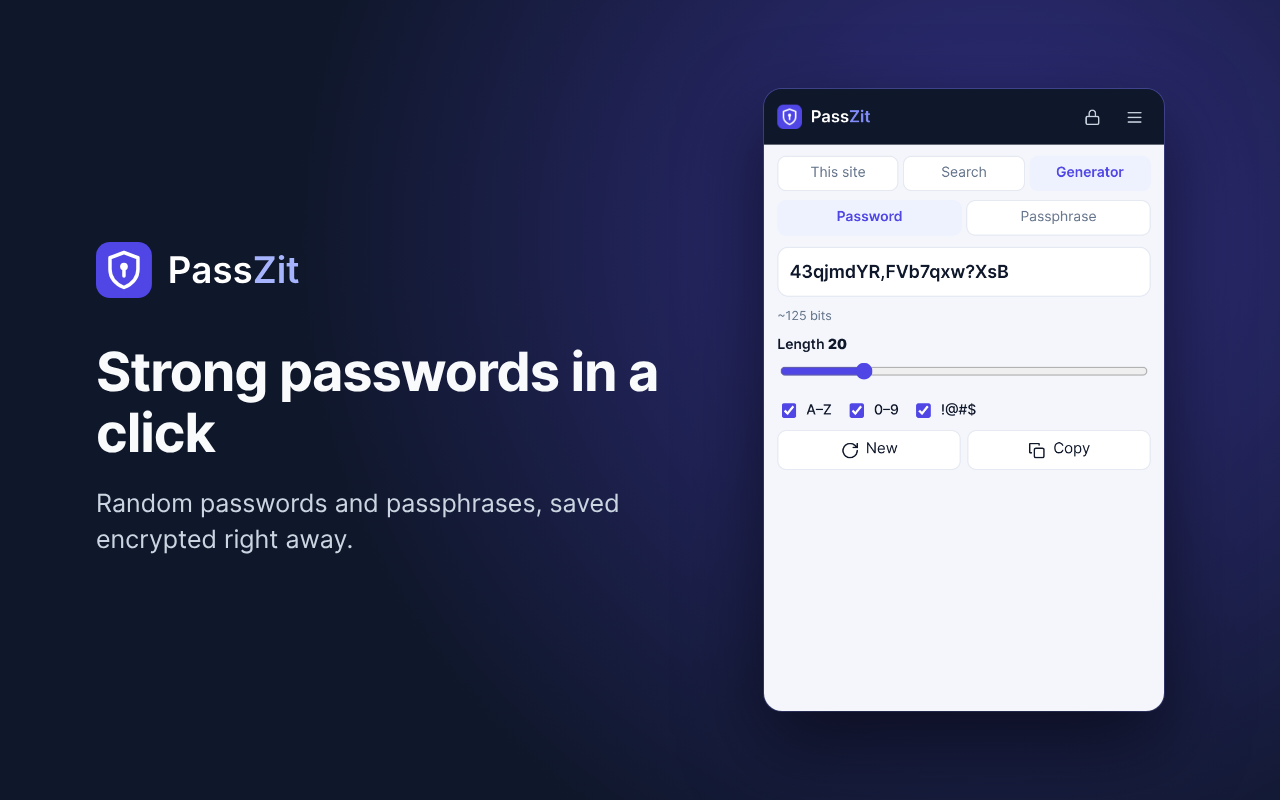
Generator: random passwords and passphrases, made in the browser
Why PassZit
Your server, your keys
No cloud service and no account with us. The vaults live on your server, encrypted with keys that only your users can derive; a stolen server, database or backup reveals no password.
Open about its limits
The design is documented, including what it cannot do: the web vault's code comes from your server, so the guide recommends the browser extension for everyday use — it brings its own code, which the server cannot change.
Made for IT teams
Remote connections with one double-click, folders typed as customer, site or data center, device passwords changed over SSH by passzit rotate, and one click from a device in WatchZit.
For people and teams
A personal vault for every user, shared vaults with rights for the team, groups, emergency access and sign-in with your company directory (LDAP, OIDC, SAML).
In your language
The web vault and the browser extension speak 14 languages: English, German, French, Spanish, Italian, Portuguese, Dutch, Polish, Czech, Serbian, Turkish, Russian, Chinese and Japanese. The built-in guide is in English and Serbian.
Free, with support if you want it
Open source under the AGPLv3, with no limits on users or vaults. Commercial support comes from MaxZit, the company behind PassZit.
Guides
A self-hosted Devolutions alternative for server and device credentials
Looking for a Remote Desktop Manager alternative? Keep server and device logins in PassZit and open RDP, SSH and WinBox with the MaxZit Launcher.
KeePass for teams: from a shared .kdbx file to a password server
Sharing one KeePass or KeePassXC file in your team? What PassZit offers instead: own accounts, groups and rights, E2EE, extensions, XML import, backups.
A self-hosted 1Password alternative for teams
Moving a team off a hosted password manager? Shared vaults, groups, roles, onboarding, remote connections and the audit log in PassZit, and its limits.
Self-hosted Bitwarden alternative: what PassZit covers and what it does not
Looking for a self-hosted Bitwarden or Vaultwarden alternative? What PassZit does and does not do: install, encryption, extensions, import, backups, SSO.
Share passwords securely with your team
Shared vaults with per-person rights, groups, time-limited access, secret links, approvals and an audit log — team password sharing on your own server.
Install a self-hosted password manager for your team
Install PassZit, a free self-hosted password manager, on a VM or Linux server: first administrator, 2FA, invitations, browser extension, import and backups.
How it works
- The server is a small Linux machine (2 vCPU, 2 GB RAM, 16 GB disk) — a ready-made appliance, or packages for Debian, Ubuntu, AlmaLinux and Rocky Linux on x86-64 or ARM64.
- Keys come from the master password on the device (Argon2id, 64 MiB, 3 passes); every item is encrypted with AES-256-GCM before it is sent.
- Browser extensions need a certificate the browser trusts: PassZit gets one from Let's Encrypt (HTTP-01 or Cloudflare DNS-01, also for servers not reachable from the internet) or uses your own.
Running in minutes
Import the ready-made appliance — OVA for VMware, QCOW2 for Proxmox/KVM, VHDX for Hyper-V — boot the appliance ISO, or install on an existing Debian, Ubuntu, AlmaLinux or Rocky Linux server:
curl -fsSL https://github.com/Max-Zit/passzit/releases/latest/download/install.sh | sudo shThen open https://<server>:8443, enter the setup token and create the first administrator with two-factor sign-in. Set a trusted certificate, invite your colleagues and install the browser extension. All downloads and install options.
Frequently asked questions
Is PassZit free?
Yes. PassZit is free and open source under the GNU AGPLv3, with no limits on users or vaults. MaxZit offers optional commercial support.
Can the server or its administrator read my passwords?
No. Your browser derives the keys from your master password and encrypts every item before it is sent; the server stores only ciphertext and an argon2id hash of a separate authentication key. Without your master password or your recovery key nobody — not the administrator, not MaxZit — can open your vault.
What happens if I forget my master password?
Nobody can reset it, because the server never knows it. A recovery key, made under My account and kept offline, opens a second copy of your account key and lets you choose a new master password. Without a recovery key the vault is lost.
Which browsers does the extension support?
Chrome, Edge, Opera, Brave and Vivaldi (one Chromium package) and Firefox 128 or newer. Install it from the Chrome Web Store, Firefox Add-ons or Microsoft Edge Add-ons, or download it from your PassZit server. Safari and mobile apps are planned.
Can I import my passwords from another password manager?
Yes: from Chrome, Edge, Firefox, Safari, Bitwarden, KeePass and KeePassXC, 1Password, LastPass and generic CSV files. The files are read in your browser; you can also export an encrypted PassZit file.
Can a team share passwords?
Yes. Shared vaults have rights per person and group (connect and fill, see passwords, add and change, manage), time-limited access and access requests that managers approve. The vault key is sealed to each member's public key, and it changes when someone leaves.
Does PassZit need the cloud or access from the internet?
No. The server runs in your own network. Browsers need a trusted certificate, which PassZit can get from Let's Encrypt through Cloudflare DNS even when the server is not reachable from the internet. Only recipients of secret links outside your network need to reach it.
Is PassZit an alternative to commercial password managers?
PassZit covers their daily work — vaults, browser extensions, sharing, passkeys, one-time codes and single sign-on — as a self-hosted, open-source product without per-user licenses, with the encrypted data on your own server.